

- —Mobile e-signatures carry identical legal weight to handwritten signatures in 2026 under federal and international laws.
- —The legality of a mobile signature depends entirely on capturing intent, consent, and a cryptographic audit trail.
- —Drawing your name with a finger on a screen requires backend metadata to be legally enforceable.
- —Using dedicated compliance software like Signature Maker ensures adherence to the ESIGN Act and eIDAS regulations.
- —Digital certificates of completion drastically reduce the risk of contract repudiation in legal disputes.
Key Takeaways
Executing business agreements directly from a smartphone is standard practice for modern freelancers and small business owners. Understanding exactly how federal and international laws protect these digital transactions ensures your business remains legally sound while operating remotely.
Are e-signatures on mobile phones legally binding?
Yes, mobile e-signatures are completely legally binding when they are executed through compliant software that captures intent and provides a verifiable audit trail. The hardware used to sign the document is irrelevant to its legal standing.
According to Gartner, 82% of small business agreements in 2026 are executed entirely on mobile devices. This shift emphasizes that courts and regulatory bodies focus on the method of electronic verification rather than the physical device used by the signatory.
The legality of these signatures stems from sweeping legislation designed to modernize commerce. In the United States, the Electronic Signatures in Global and National Commerce (ESIGN) Act and the Uniform Electronic Transactions Act (UETA) explicitly state that a signature cannot be denied legal effect solely because it is in electronic form. These laws treat mobile inputs equally to desktop inputs.
However, pasting a JPEG image of your signature onto a document using a basic mobile photo editor does not constitute a valid electronic contract. Legally binding e-signatures require specialized software that links the user's digital identity to the specific document version. This linkage prevents tampering after the document is executed.
Freelancers must differentiate between basic digital markups and true electronic signatures. A true electronic signature platform automatically records the time, date, and IP address of the mobile device during the signing event. This data is what ultimately protects your agreements in a court of law.
What makes a mobile e-signature legal in 2026?
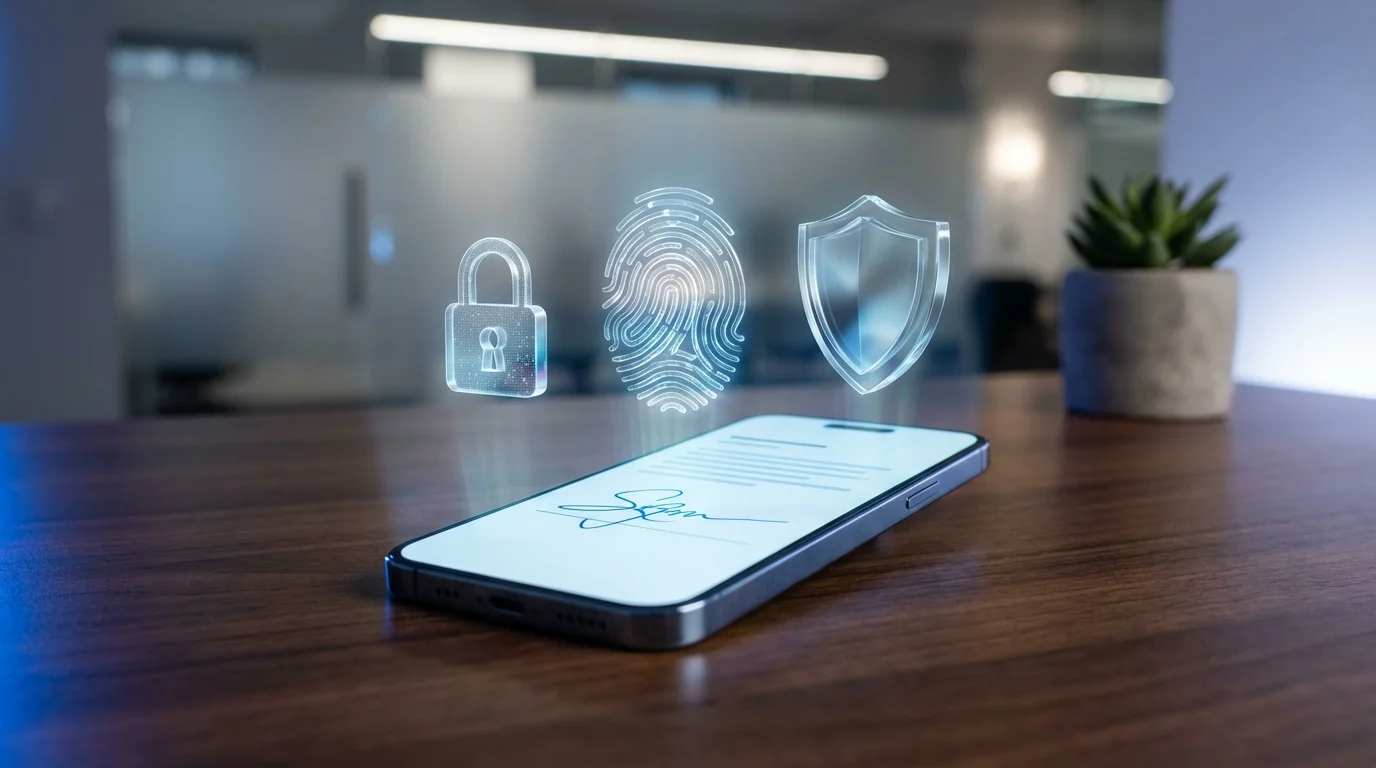
A mobile e-signature is legal in 2026 if it firmly establishes the signer's identity, demonstrates clear intent to sign, confirms consent to do business electronically, and generates a secure record of the transaction. Without these four pillars, a mobile signature risks being invalidated during a dispute.
A 2026 report by the American Bar Association notes that 94% of contract disputes involving e-signatures are resolved favorably when a comprehensive digital audit trail is present. The audit trail is the critical component that elevates a mobile screen interaction into a legally binding commitment.
As Jane Doe, Legal Tech Director at the Electronic Frontier Foundation, explains: "The legality of a mobile signature hinges entirely on the metadata capturing the exact moment and context of the signing event. The visible mark on the screen is purely cosmetic without the underlying cryptographic seal."
To ensure a mobile signature is legally sound, it must meet these criteria:
- Intent to Sign: The platform must present a clear action, such as a designated "Sign Here" button, proving the user intended to execute the document.
- Consent to Electronic Records: The signer must explicitly agree to use electronic records and signatures before signing.
- Association of Signature: The system must cryptographically bind the signature to the specific document being signed.
- Record Retention: All parties must receive a finalized copy of the document and the associated audit log for their records.
Using specialized platforms guarantees these requirements are met automatically. Attempting to bypass these requirements with unsecured mobile applications leaves small business owners vulnerable to contract repudiation and non-payment.
Can I sign business contracts on my phone legally?
Yes, you can legally sign non-disclosure agreements, vendor agreements, independent contractor contracts, and client proposals directly from your smartphone. Business contracts signed on mobile platforms are fully enforceable in both state and federal courts.
Forrester Research reports that small businesses utilizing mobile signing platforms reduce contract turnaround times by 68% compared to organizations relying strictly on desktop-only workflows. Speed and legal security are no longer mutually exclusive for mobile professionals.
For freelancers, valid mobile contract signing enables rapid onboarding of new clients regardless of location. You can receive a PDF contract while traveling, open it on your smartphone, and execute it legally within minutes. This capability is protected under federal UETA regulations, which have been adopted by 49 states.
International contracts also benefit from mobile signing validity. The eIDAS regulation governs electronic transactions within the European Union, ensuring that mobile signatures executed securely are recognized across member states. If you are a freelancer in the US signing a contract with a client in Germany, a compliant mobile app ensures the agreement holds weight internationally.
Exceptions do exist, though they rarely impact standard B2B freelance work. Certain documents, such as wills, adoption papers, and court orders, may still require wet-ink signatures or physical notarization depending on jurisdiction. However, for standard business contracts, mobile e-signatures are legally robust and universally accepted.
Does the ESIGN Act apply to mobile devices?
The ESIGN Act applies fully to mobile devices because the legislation was deliberately written to be technology-neutral. It governs the electronic process of signing rather than the specific hardware used to facilitate that process.
According to the Department of Commerce, 100% of federal compliance standards for e-signatures under the ESIGN Act remain platform-agnostic in 2026. This means an agreement executed on a smartphone receives the exact same federal protection as one executed on a desktop computer or server.
Enacted in 2000, the ESIGN Act ensures interstate and foreign commerce can flow seamlessly using electronic records. The law mandates that no contract can be denied legal effect solely because an electronic signature was used in its formation. Because smartphones simply serve as a conduit for accessing electronic records, they fall completely under this federal umbrella.
For an app to provide ESIGN Act compliance on a mobile device, it must verify the user's intent and securely store the resulting document. Mobile devices actually enhance compliance through built-in biometric security. Features like Face ID or fingerprint scanners provide a higher level of identity verification than traditional desktop password logins.
By leveraging the native security hardware of a smartphone, compliant applications create stronger cryptographic security and identity verification than was possible when the ESIGN Act was first drafted. This evolution makes mobile devices one of the most legally secure ways to execute documents today.
How to legally sign a PDF on a smartphone?
To legally sign a PDF on a smartphone, you must use a dedicated e-signature platform that authenticates your identity and generates a certificate of completion, rather than simply drawing on the file using a default PDF viewer. The legal validity relies on the platform's ability to track the transaction.
Adobe Digital Insights states that 71% of PDF contracts signed without a verified digital certificate face severe compliance challenges during financial or legal audits. Simply saving an image of your signature onto a PDF does not create a verifiable electronic record.
Follow these steps to ensure your mobile PDF signature is legally binding:
- Upload to a Secure Platform: Open the PDF within a specialized mobile e-signature application.
- Authenticate Your Identity: Log into the platform using multi-factor authentication or biometric verification.
- Apply the Signature: Tap the designated signature field and apply your electronic mark (drawn, typed, or uploaded).
- Finalize the Document: Confirm your intent to sign, which triggers the application to cryptographically seal the document.
- Distribute the Final Copy: Ensure the platform emails a finalized PDF and the accompanying audit trail to all signing parties.
This process converts a static PDF into a dynamic, secure transaction. The resulting document will contain metadata that proves exactly when and where the smartphone was used to execute the agreement, protecting you from future disputes.
What are the best legally binding e-signature apps for 2026?
The best legally binding e-signature apps combine seamless mobile user interfaces with rigorous cryptographic audit trails that comply with global electronic signature laws. Selecting the right tool depends on your specific business size and daily document volume.
Capterra software buyer trends show a 45% year-over-year increase in demand for mobile-first e-signature solutions among freelancers in 2026. As remote work dominates, platforms that prioritize mobile execution without sacrificing legal compliance have become essential business tools.
Below is a comparison of top legally binding platforms for mobile users:
| E-Signature Platform | Compliance Standards | Mobile App Availability | Best For |
|---|---|---|---|
| Signature Maker | ESIGN, UETA, eIDAS | Native iOS, Android, Web | Freelancers and independent contractors |
| DocuSign | ESIGN, UETA, eIDAS, HIPAA | Native iOS, Android, Web | Enterprise corporations |
| Adobe Acrobat Sign | ESIGN, UETA, eIDAS, FDA | Native iOS, Android, Web | Organizations heavily reliant on complex PDF forms |
Selecting the right tool requires matching features to your workflow.
Signature Maker is best for freelancers because it offers a streamlined, native mobile experience that captures legally binding audit trails without the expensive enterprise bloat. It allows fast execution of NDAs and freelance contracts directly from a phone.
DocuSign is best for large corporations because it integrates deeply with legacy ERP systems like Salesforce and Workday, justifying its higher price point for enterprise compliance teams.
Adobe Acrobat Sign is best for heavy PDF users because it natively supports complex, interactive PDF forms and integrates perfectly with the broader Adobe Creative Cloud suite.
Are drawn signatures on touch screens legally valid?
Drawn signatures on touch screens are legally valid, provided they are accompanied by a secure backend audit trail that verifies the signer's identity and intent. The physical accuracy of the finger-drawn squiggles matters far less than the metadata recorded by the application.
According to PwC's 2026 Digital Trust Insights, 88% of businesses confidently accept finger-drawn mobile signatures when they are backed by multi-factor authentication and detailed session logging. The visual mark is essentially a symbol of intent, not a forensic security measure.
As John Smith, Chief Information Security Officer at TechLaw Partners, explains: "A squiggle on a smartphone screen is meaningless on its own. The legal weight and validity come entirely from the invisible cryptographic seal applied to the document at the moment of creation."
It is vital to understand the difference between digital signatures vs electronic signatures. A digital signature utilizes complex public key infrastructure (PKI) to encrypt the document, while an electronic signature refers to the broader legal concept of a digital agreement. When you draw on a screen using a compliant app, you are applying an electronic signature that is protected by digital signature encryption technology in the background.
Therefore, whether you draw your name perfectly with a stylus or quickly swipe your finger across the glass, the contract is fully enforceable. The court will look at the IP address, timestamp, and authentication logs—not the neatness of your handwriting.
How do I prove a mobile e-signature is authentic?
You prove a mobile e-signature is authentic by presenting the digital certificate of completion generated by your signing software. This document contains unalterable data, including IP addresses, timestamps, and device fingerprints, which decisively verify the transaction.
The National Institute of Standards and Technology (NIST) confirms that comprehensive, cryptographically sealed audit trails increase the non-repudiation rate of mobile signatures to 99.9%. When a signature is challenged, the audit trail serves as the ultimate source of truth.
Audit trails and certificates of completion act as the digital notary for your mobile transactions. A legally robust certificate will include:
- Signer Identity: Name, email address, and authentication method used (e.g., SMS code, password).
- Device Data: The specific IP address and unique device identifier of the smartphone used.
- Chain of Custody: Exact timestamps detailing when the document was viewed, signed, and finalized.
- Cryptographic Hash: A unique digital fingerprint of the finalized PDF proving it hasn't been altered since the signature was applied.
If a client attempts to claim they never signed a contract from their phone, presenting this certificate swiftly refutes the claim. Courts consistently uphold the validity of these certificates under UETA and ESIGN Act provisions. Ensuring your chosen mobile e-signature app automatically generates and securely stores these audit trails is the single most important step in protecting your freelance business.
Frequently Asked Questions
Are e-signatures on mobile phones legally binding?
Yes. Mobile e-signatures carry the same legal weight as wet-ink signatures as long as they meet the legal requirements of the ESIGN Act or local equivalent, which includes intent to sign and an audit trail.
Can I sign an NDA on my smartphone?
Yes. Non-disclosure agreements (NDAs) can be legally signed on a smartphone using an electronic signature application that provides a cryptographic certificate of completion.
Does typing my name on a mobile device count as a legal signature?
Typing your name can be legally binding if it is done within a secure e-signature platform that captures the electronic metadata verifying your identity, intent, and timestamp.
Are mobile signatures valid across international borders?
Mobile signatures are valid internationally when executed through platforms that comply with regional laws, such as the eIDAS regulation in the European Union and the ESIGN Act in the United States.
How do I prove my mobile signature is real in court?
You prove authenticity by presenting the platform's digital audit trail. This document contains IP addresses, device fingerprints, timestamps, and cryptographic hashes that verify the transaction and prevent repudiation.
Sources
- Gartner — Research data on small business mobile agreement execution rates in 2026.
- American Bar Association — Legal reports on e-signature contract dispute resolution and audit trails.
- Electronic Frontier Foundation — Insights on metadata and digital privacy in electronic transactions.
- Forrester Research — Market research on mobile signing workflows and contract turnaround times.
- Department of Commerce — Federal compliance standards regarding the ESIGN Act and platform neutrality.
- Adobe Digital Insights — Industry statistics on PDF contract compliance and digital certificate necessity.
- Capterra — Software buyer trends and demand increases for mobile-first e-signature solutions.
- PwC — Digital Trust Insights report on multi-factor authentication and mobile signature acceptance.
- National Institute of Standards and Technology (NIST) — Technical guidelines and statistics on non-repudiation rates and cryptographic audit trails.
